PDF to PowerPoint Converter (AI)
Upload a PDF and Dekked converts it into a native, editable PowerPoint (.pptx) file — real charts built from your numbers, and your document's original figures extracted and placed on the slides. Text stays text, tables become real PowerPoint tables, and every chart opens in Excel, so you can keep editing the deck after download.
How the conversion works
1Upload your PDF
Attach the PDF — a paper, report, or thesis — and describe the deck you need. That’s the whole brief.
2The deck is built
Every slide is designed, rendered, and reviewed — a finished deck in under an hour.
3Open the .pptx and keep editing
The download is a native PowerPoint file: text, shapes, tables, and charts are all live objects.
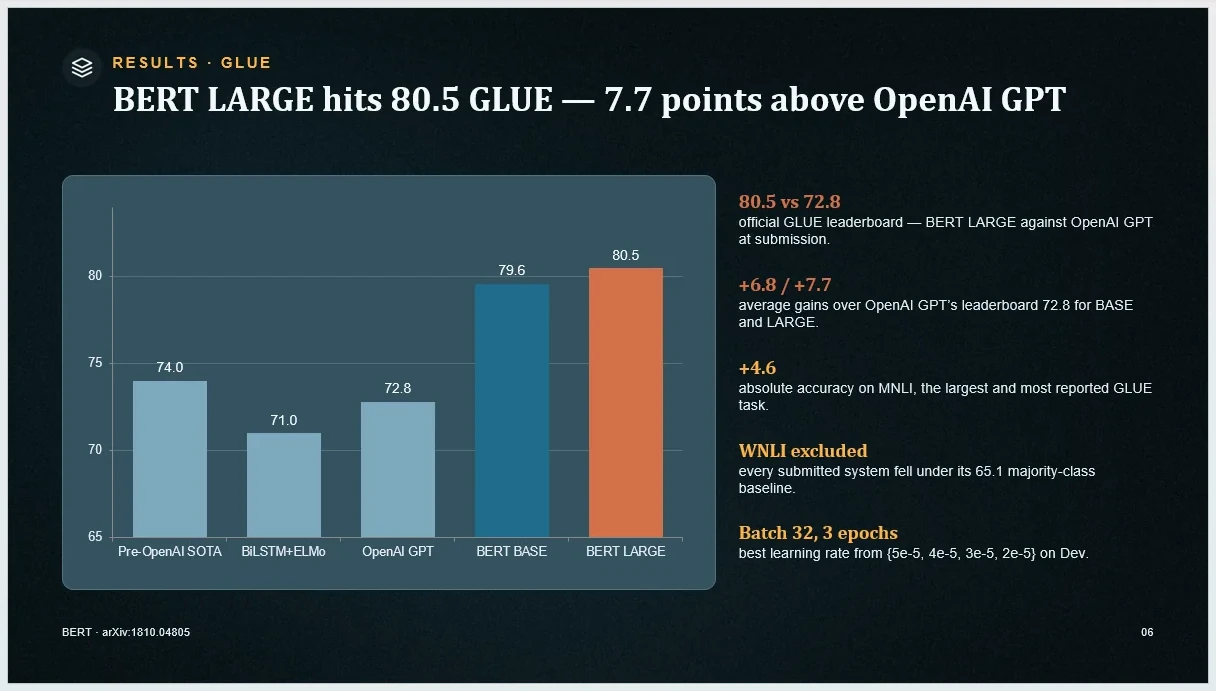
What survives the conversion
Figures
Figures and diagrams are extracted from the PDF at high resolution and placed on the relevant slides — your original images, not redrawn approximations.
Tables
Tables are rebuilt as native PowerPoint tables: rows and cells you can select, restyle, and edit in place.
Numbers become charts
Numeric data becomes real PowerPoint chart objects. Select a chart, choose Edit Data, and its values open in an Excel worksheet.
Text stays text
Headings and body copy land as editable text boxes — retype, restyle, or translate them like slides you built yourself.
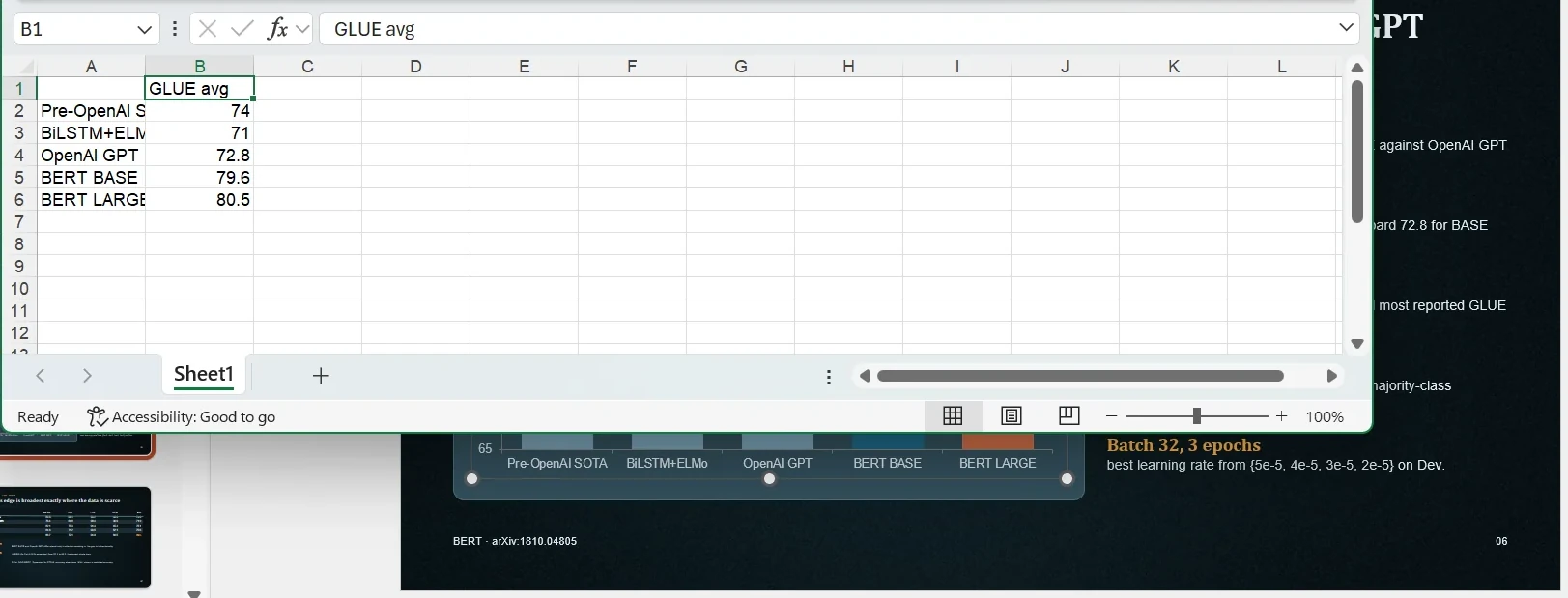
A chart from a generated deck with Edit Data open — the values sit in Excel cells you can change.
What to expect on time
A deck takes up to an hour to arrive. That's deliberate: every slide is designed, rendered, and reviewed before delivery, rather than dumped out of a template in seconds. If you need an instant page-for-page snapshot of your PDF, this is the wrong tool — Dekked rebuilds your content as a presentation, and that build takes real time.
Frequently asked questions
Is it free?
Your first deck is free and carries a small "Made with Dekked" watermark (up to 10 slides). After that, decks are pay-per-deck from $1.99 — no subscription required.
Does it work with research papers?
Yes — research papers are one of the most common inputs. Dekked reads the paper’s structure, extracts the figures straight from the PDF, and builds a deck ordered for presenting rather than for reading. Conference papers, theses, and journal articles all work.
Is the output really editable, or pictures of slides?
Really editable. The file is a native .pptx built from PowerPoint objects: text boxes you can retype, tables you can restyle, and real chart objects — select a chart, choose Edit Data, and its numbers open in an Excel worksheet you can change.
How long does the conversion take?
Up to an hour. Every slide is designed, rendered, and quality-reviewed before the deck is delivered — this is a build, not an instant file transform.
Do you keep my PDF after the conversion?
No. Your upload is processed only to build your deck and then deleted from our servers — uploads within about 30 minutes, build files within two hours. We never use your documents to train our own models.
Does it copy my PDF page-by-page onto slides?
No. Dekked does not mirror each PDF page onto a slide. It reads the content — text, figures, tables, numbers — and designs a new presentation from it. If you need an exact visual replica of every page, that is not what Dekked makes; if you need a deck you can present and keep editing, it is.
Go deeper
Have a PDF ready?
Your first deck is free (watermarked). Upload the PDF and see what your document looks like as a presentation you can actually edit.
Convert your PDF